Electronics
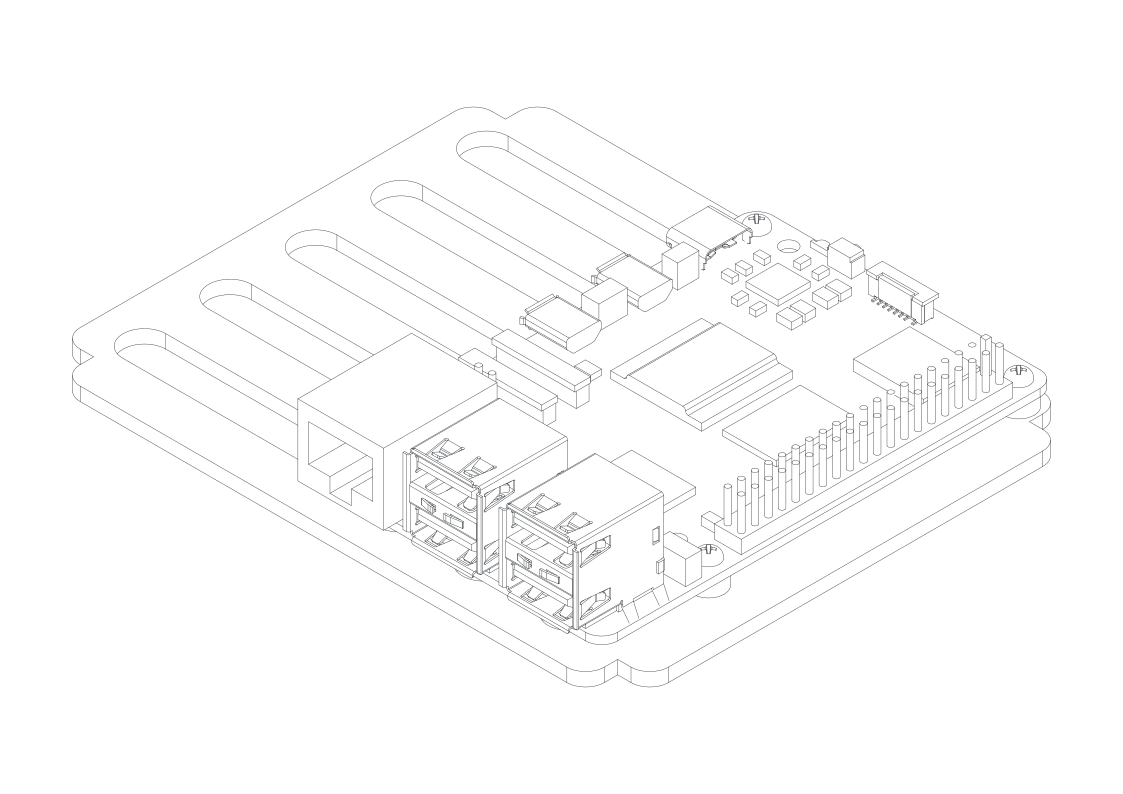
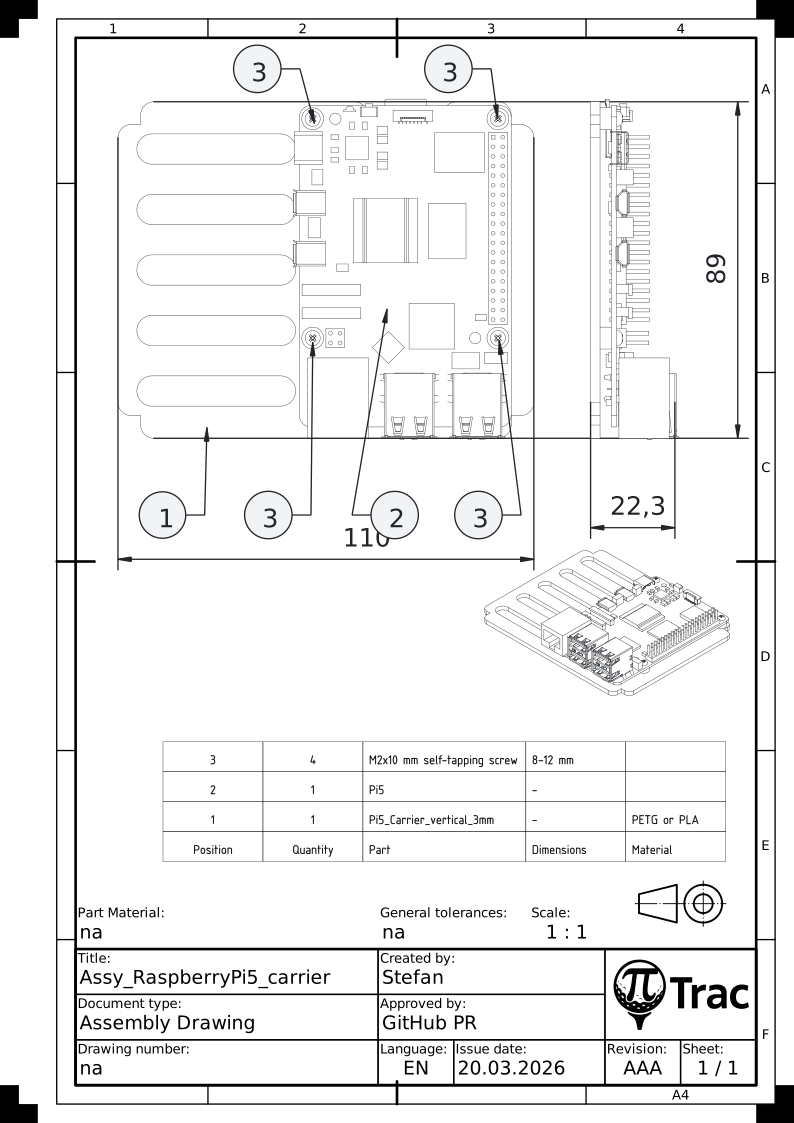
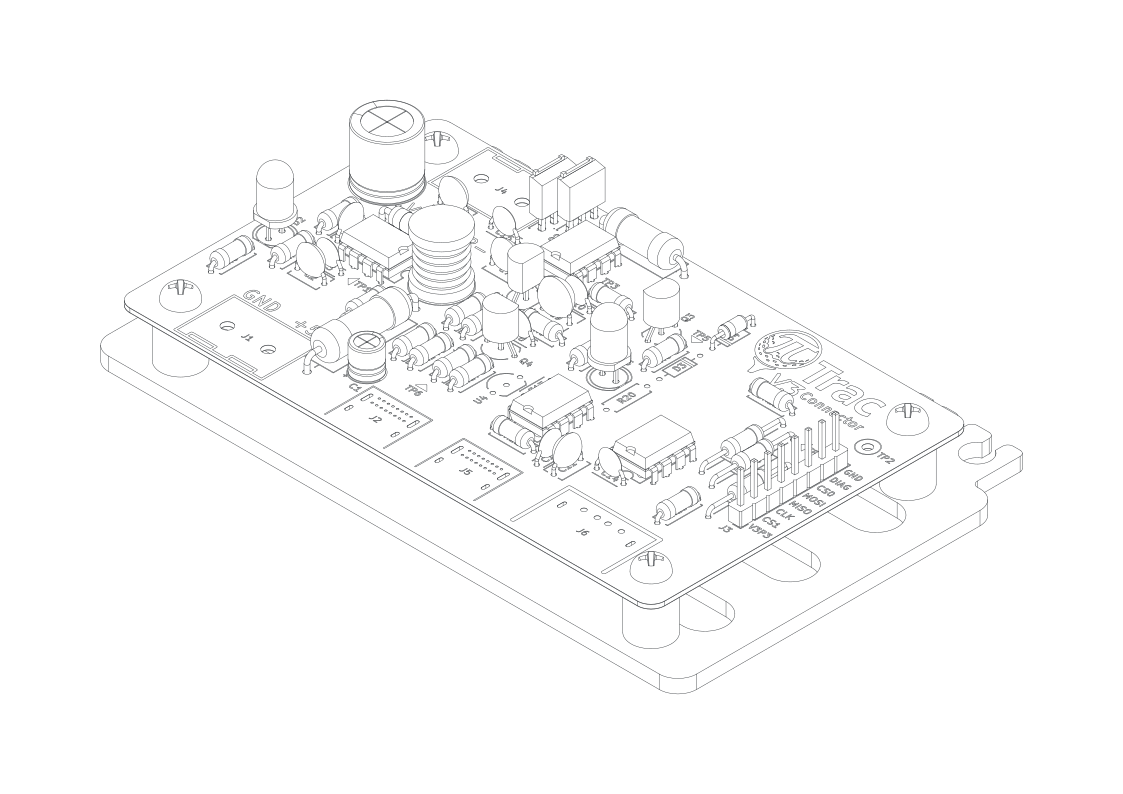
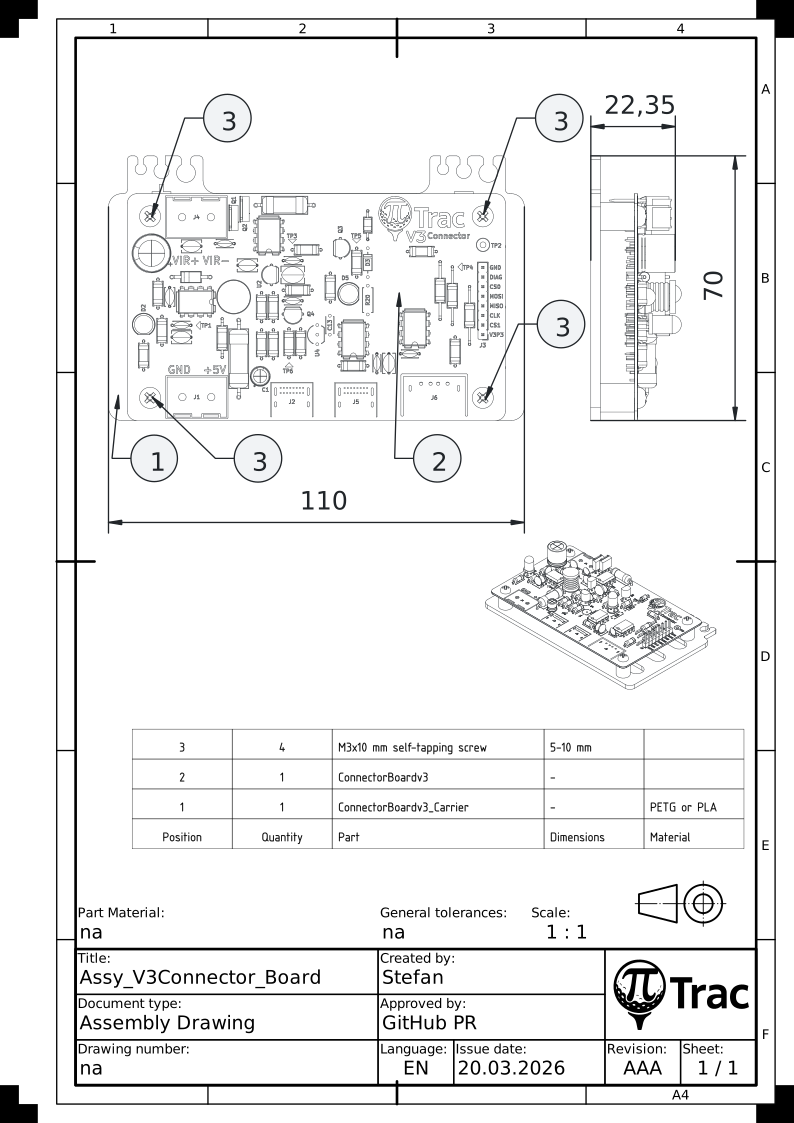
Mount the Pi 5 and the V3 Connector Board on their respective 3D-printed carriers. The carriers slide into the inner-most slots of the stack modules during Final Assembly.
Pi 5 and Connector Board Carriers
Tools:
- Cross-head screwdriver
| Part | Qty | Notes |
|---|---|---|
| Pi5_Carrier_vertical_3mm.stl | 1 | choose height and hole version according to your setup (NVMe, HDMI access, etc.) |
| ConnectorBoardv3_Carrier.stl | 1 | |
| Pi 5 | 1 | |
| ConnectorBoardv3 | 1 | |
| M3x10 mm self-tapping screw | 4 | |
| M2x10 mm self-tapping screw | 4 | alternative: M2.5 screws + risers, for through-hole variant |
- Mount the ConnectorBoardv3 on its carrier with four M3x10 mm self-tapping screws.
- Mount the Pi 5 on its carrier with four M2x10 mm self-tapping screws. Ensure correct orientation: the SD card slot should align with the opening.
Note
There are alternative Pi 5 mounts available. This version is for wireless Pi access only. If you need regular USB, Ethernet, or HDMI access, print and use Enclosure Version 3/Part/Print/Variants/Pi5_Bagpack, _top, and _bottom. This will require additional cuts to the Acrylic backplate.
If you only need Ethernet access, there are Back_Interface_Plate versions available. This will also require additional cuts to the Acrylic backplate.
Note
This assembly state is a good point to fire up the PiTrac for the first time, since all parts are easily accessible.